What matters now.
Tasks and notes on one board.
Tasks, notes, and projects sit as tiles on one board. A task you have postponed three times starts to look like it. A time rail across the top shows what is due today.
No credit card for the free plan. Runs in your browser.
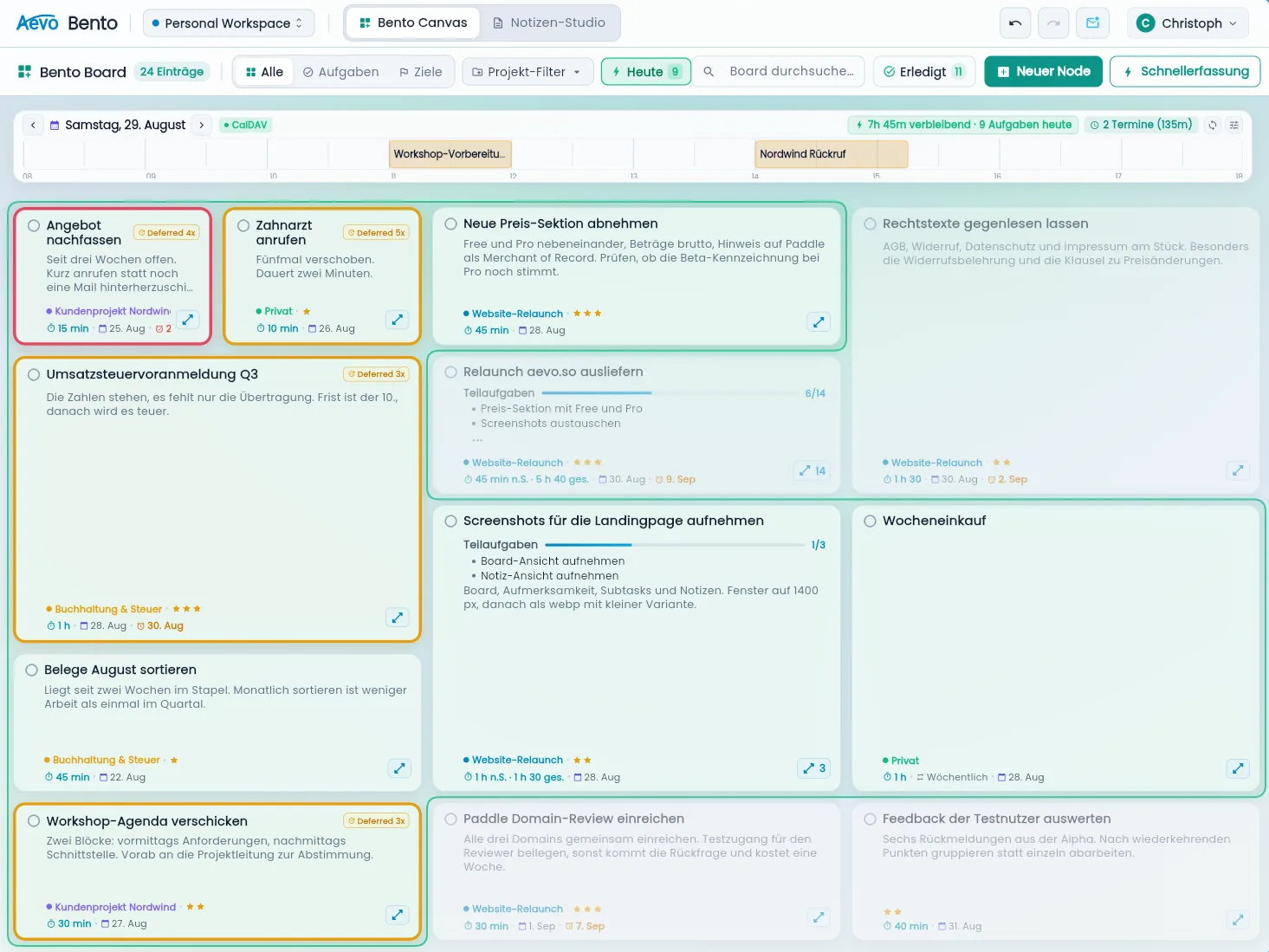
One big task, split into groups.
You split a task into subtasks and sort them into groups such as content, legal, and technical. The tile then carries a progress bar. You do not have to keep a second list for it.
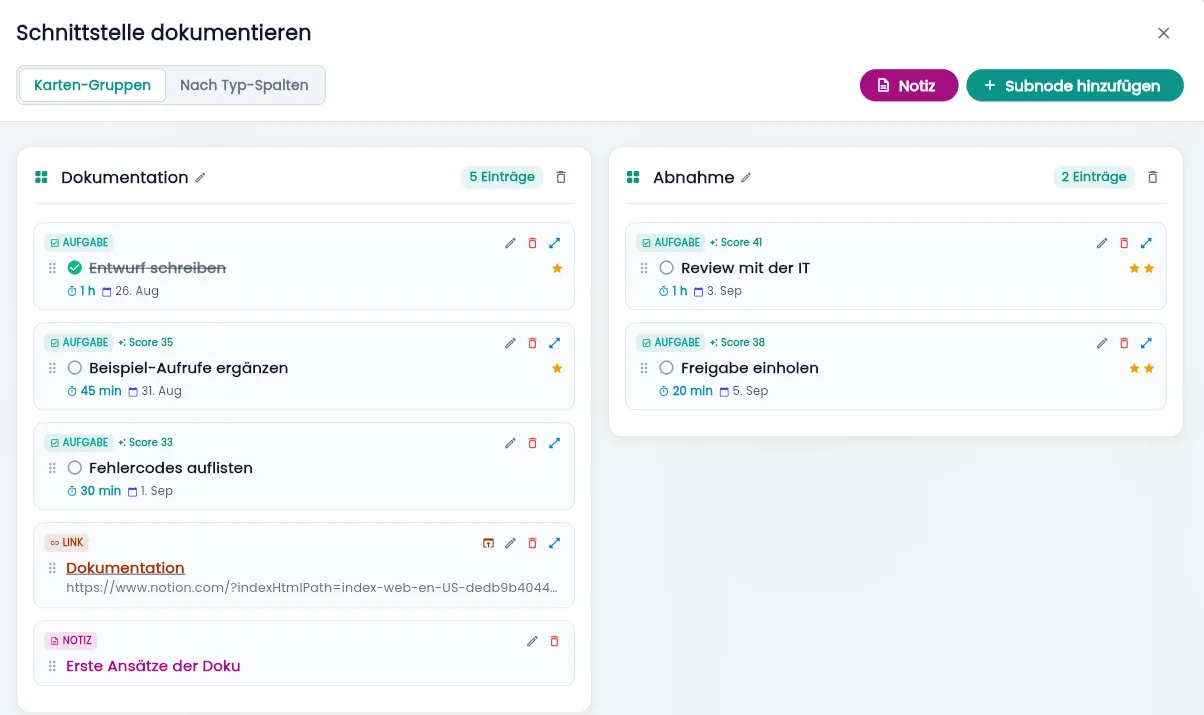
Postpone it three times and the tile turns yellow.
Every tile has an attention score. It grows as the date comes closer, and it grows again each time you postpone. From the third time you can see it in the colour. For work that really has to wait there is a pause switch and a start date. Then it stays quiet until the day arrives.
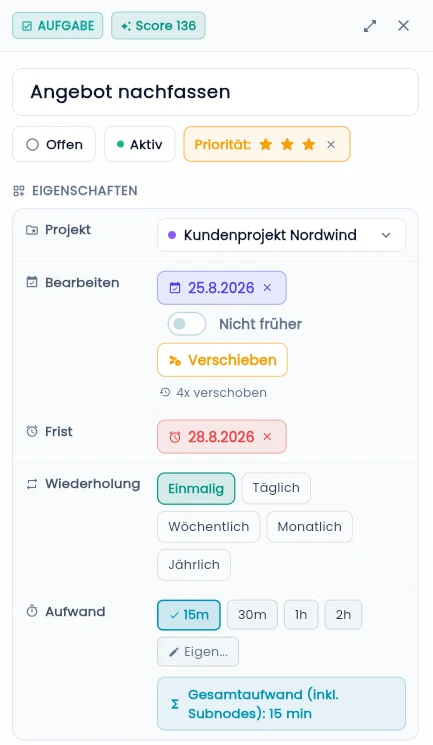
The note sits next to the task.
Notes take formatting, images, and callouts. They live on the same board as your tasks and link to them and to projects. You never open a second app for them.
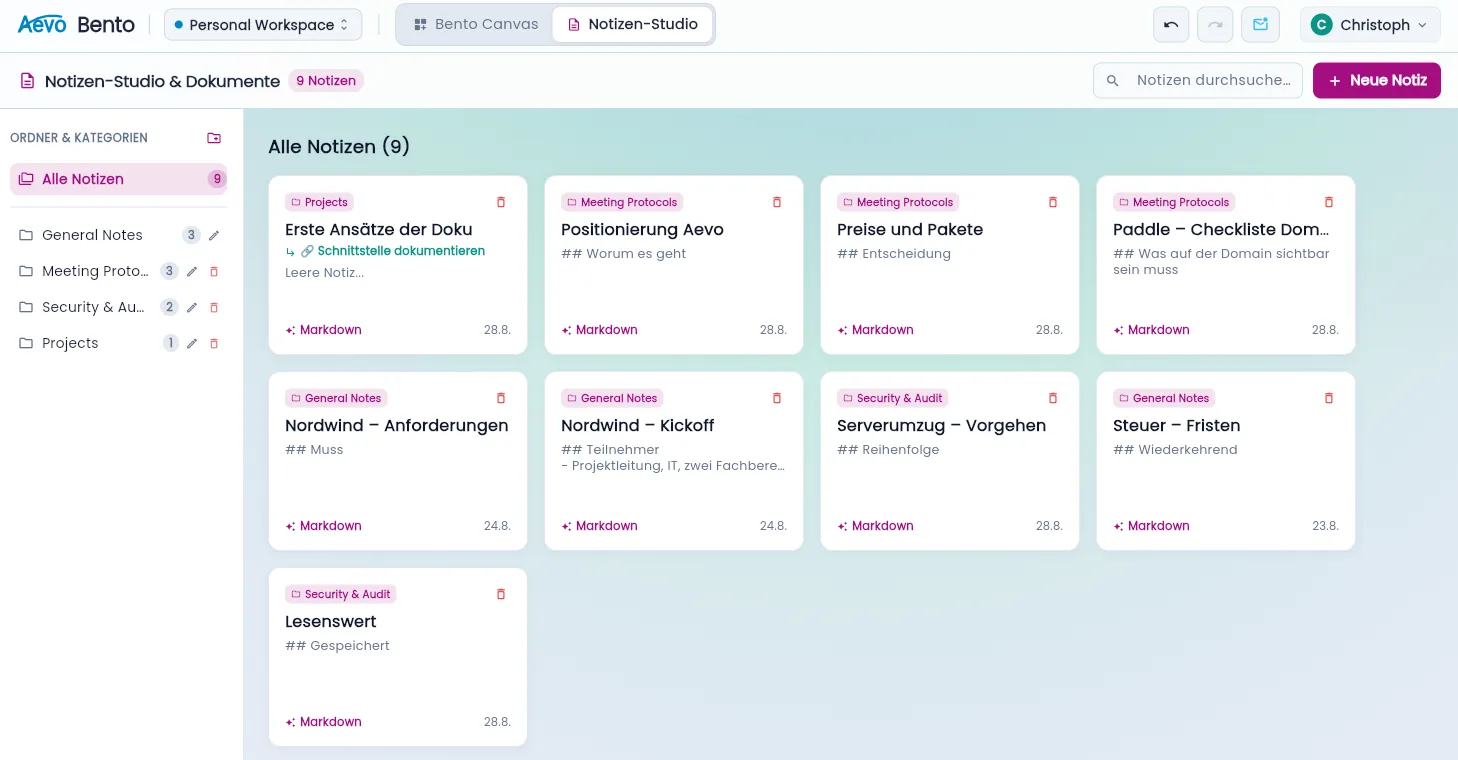
Looks the way you want.
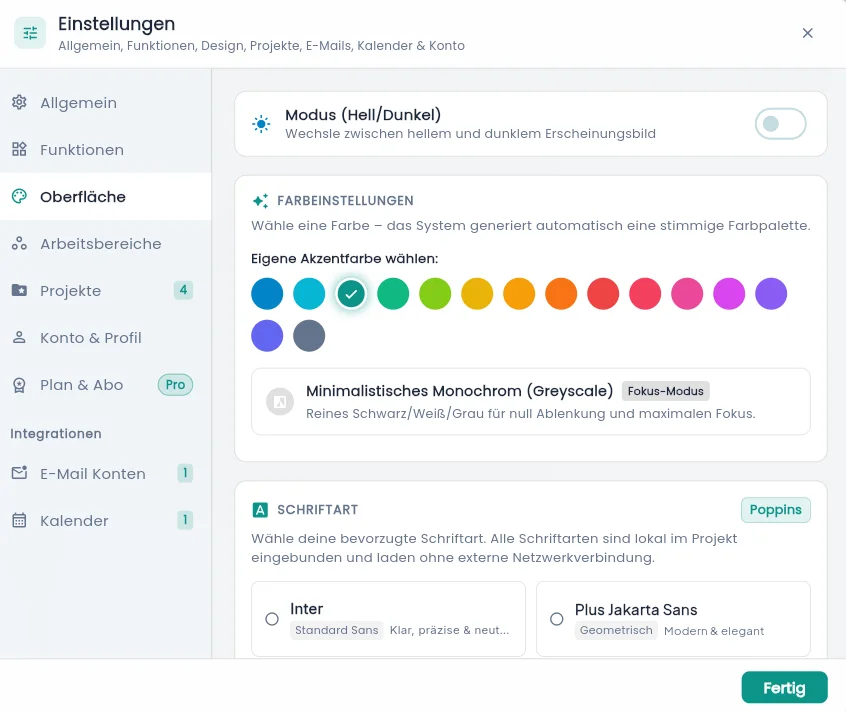
You pick light or dark and one accent colour, and the app derives the rest of the palette from it. For days when nothing should distract you there is a monochrome focus mode. Several typefaces are available. All of them are bundled locally and load nothing from third-party servers.
You never pay for how it looks. Limits apply to volume and integrations only.
Why Aevo?
Six reasons why one board beats four lists in four programs.
Everything on one board
Tasks, notes, and projects lie side by side as tiles and can be linked.
Nothing sinks quietly
Whatever you postpone repeatedly changes colour and stays near the top.
Calendar & inbox
Sync CalDAV and Microsoft 365, turn e-mails into tasks (Pro).
Realistic days
Daily capacity and workload show when a day is full (Pro).
Rich-text notes
Images, callouts, and lists, linked to tasks and projects.
Privacy
Website in Germany, backend in the EU. No tracking, no sharing, no selling of your data.
Start small. Stay free if that's enough.
The free plan does not expire. Pro removes the volume limits and unlocks the integrations.
For one workspace and your daily routine.
- Aevo board, zoom view, subtasks, priorities, time rail
- Recurring tasks and reminders
- 3 projects
- 10 notes
- One workspace
- Completed items from the last 30 days
or 50.00 € per year, also 4.17 € per month
Everything in Free, plus the integrations and no volume limits.
- Unlimited projects and notes
- Multiple workspaces
- Calendar sync (CalDAV, Microsoft 365) and e-mail inbox
- Daily capacity and workload planning
- Full task history
- Comments on nodes
You subscribe inside the app under "Settings → Plan & subscription".
All prices include applicable sales tax / VAT. Billing is monthly or yearly in advance, the subscription renews automatically, and you can cancel at any time with effect from the end of the current billing period.
Payments, invoicing, and sales tax are handled by our reseller Paddle.com Market Ltd as Merchant of Record. Payment by credit card, PayPal, and further methods offered by Paddle. Manage or cancel your subscription through the Paddle customer portal, reachable in the app under "Plan & subscription".
14-day money-back guarantee. We refund the first payment of a subscription on request, no reasons needed. Details in the Cancellation & Refund Policy.
If Pro lapses, nothing is lost. Extra workspaces become read-only and sync pauses. Nothing is deleted.
More about Aevo
Task management without AI
What leaving out the assistant means in practice, and why it keeps the price down.
Tasks you keep putting off
The attention score, and why pausing is not the same as postponing.
Tasks and notes in one application
Why a real link beats a URL between two separate programs.
Calendars over CalDAV and Microsoft 365
Appointments and tasks on one surface, with realistic daily planning.
Stay in the loop
Work on Aevo continues all the time. Sign up here if you want to hear about new features and integrations. You do not need this to get started, just register directly.